


Your eyes feel dry and tired by lunch, and that familiar headache and straining feeling around your eyes creeps in by mid-afternoon. You are not alone—workers spend an average of 7 to 9 hours daily staring at screens, and your eyes were not designed for a digital marathon. The team at View Eye Care sees many patients struggling with screen-related dry eye symptoms and eyestrain due to prolonged computer use.
You can dramatically reduce eye strain by creating an eye-friendly workspace, following simple exercise rules, adjusting your screen settings, and choosing the right eyewear for computer work.
Set Up Your Home Office to Protect Your Eyes
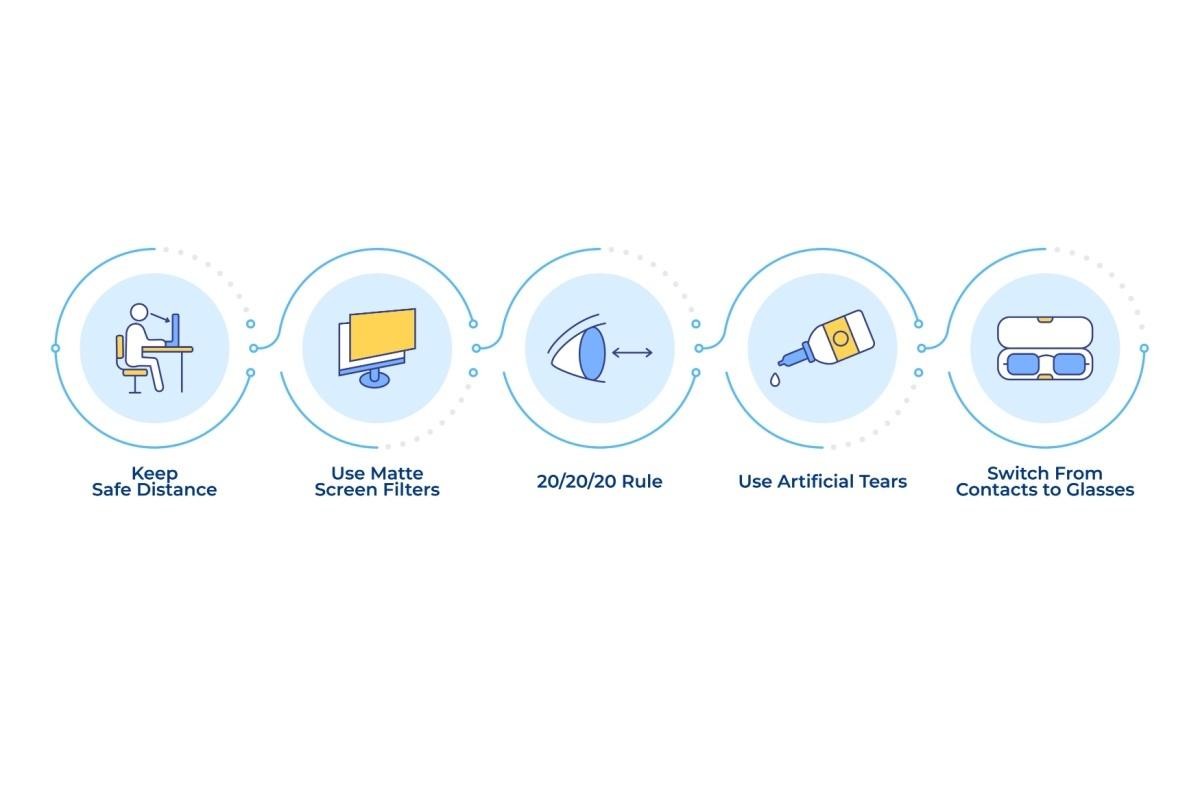
Your screen position makes all the difference. Place your monitor about arm’s length away—roughly 20 to 26 inches from your face. The top of the screen should sit slightly below your eye level, so you look down at about a 10-degree angle and the screen should be angled about 5-degrees up towards your face.
Check the lighting around your workspace. Your screen brightness should match the light in your room—not brighter or dimmer. Harsh overhead lights or bright windows behind your screen create reflections and glare off the screen that forces the focusing system of your eyes to work harder. So try to position your screen and/or the lighting to avoid this.
Consider adding an anti-glare screen filter or switching to a matte screen cover. These simple tools reduce reflections and harsh light that contribute to eye fatigue throughout your workday. If you’re experiencing persistent strain despite these adjustments, computer vision syndrome might be affecting your comfort.
Follow Simple Eye Exercise Rules
The 20-20-20 Rule
Every 20 minutes, look at something 20 feet away for 20 seconds. This simple practice relaxes the focusing muscles in your eyes that tighten up during close-up work.
Set a timer on your phone or computer to remind you. During those 20 seconds, focus on something specific—a tree outside your window or a picture across the room. Don’t just glance away; actively focus on the distant object. The 20-20-20 rule is proven to reduce eye muscle fatigue.
Blink More Often
You naturally blink less when concentrating on screens—about one-third as often as normal. This increased time between blinks allows your tears to evaporate thereby reducing the moisture layer that keeps your eyes comfortable and your vision clear.
Place sticky notes around your workspace as blink reminders. Make each blink slow and deliberate, allowing your eyelids to fully close and reopen. This helps spread tears evenly across the surface of your eye.
Adjust Your Screen Settings & Environment
Increase your text size until you can read comfortably without squinting or leaning forward. Most people can benefit from a 12 to 14 point font size, but don’t hesitate to go larger if needed.
Increase your screen distance if possible. Many of us are working on larger screens, so increasing the distance with a larger font, will allow for less near-strain on the focusing system. If you work on a laptop, this will not be possible, but if you can use an auxiliary screen when at a fixed work station, this will make prolonged work less uncomfortable.
Adjust your screen’s contrast and brightness settings. Text should appear crisp and dark against a light background—avoid white text on black backgrounds for extended reading. Your screen should be about as bright as your surrounding workspace.
Dry indoor air makes eye strain worse. Use a humidifier in your home office to maintain a 30-50% humidity level; it helps prevent your eyes from drying out during long work sessions and can complement dry eye therapy treatments.
Choose the Right Eyewear & Eye Care
Computer Glasses Options
Computer glasses with anti-reflective coating reduce glare and improve visual comfort. If you wear prescription glasses, ask about computer-specific lenses optimized for intermediate distances—closer than driving but farther than reading.
Multifocal lenses can help if you switch between your screen, keyboard, and paperwork throughout the day. These lenses provide clear vision at multiple distances without the neck strain of bifocals. Progressive lenses offer seamless transitions between different focal points.
Contact lens wearers who become symptomatic as the day goes on, might find that a different contact lens material might be more comfortable for longer hours, depending what lenses you currently wear. This is something the doctors at View Eye Care help patients with every day. Barring that, you could consider switching to glasses periodically during the day. Contact lens wear can contribute to dry eye, especially in air-conditioned or heated environments. Consider contact lenses designed for dry eyes if you prefer wearing lenses during work hours.
Eye Drops & Moisture
Use preservative-free artificial tears throughout your workday—not just when your eyes feel dry. Apply drops every few hours to maintain proper moisture levels.
Choose lubricating drops over redness-reducing varieties. Redness-reducing drops can create a rebound effect, making your eyes redder when the drops wear off. Warm compresses can also help improve oil gland function and reduce dryness.
When to Visit Your Eye Doctor
Schedule an appointment if you experience persistent headaches that worsen during screen time, or if your vision seems blurry even after taking breaks. These symptoms might indicate an underlying vision problem that glasses can correct.
Don’t ignore red, watery, or light-sensitive eyes that continue despite following good computer habits. Chronic dry eye requires professional treatment that goes beyond over-the-counter drops.
Seek care for eye pain or discomfort that doesn’t improve with rest and proper workspace setup. Comprehensive eye exams can identify issues such as focusing problems and dry eye syndrome that contribute to computer-related eye strain.
Protect Your Vision with View Eye Care
Protecting your eyes during remote work doesn’t require major lifestyle changes—small adjustments to your workspace and habits can make a significant difference. If eye strain persists despite these strategies, the team at View Eye Care can help identify underlying conditions and provide personalized solutions for your computer vision needs.